Notes view
Every client now has a Notes tab: a running, searchable record of everything you know, with each entry tagged by how it was captured. Jot a between-sessions note in the composer, photograph a handwritten page and review the transcription line by line, or drop in a transcript that Sage drafts into a session note with commitments first, always open for your edit before it saves. Session notes pin to their session date so the record keeps its real timeline. With your consent flags on, the record feeds your next session prep automatically, and a full-screen, coach-private Notes View carries your agenda and quick notes through the live session itself.
Notes view
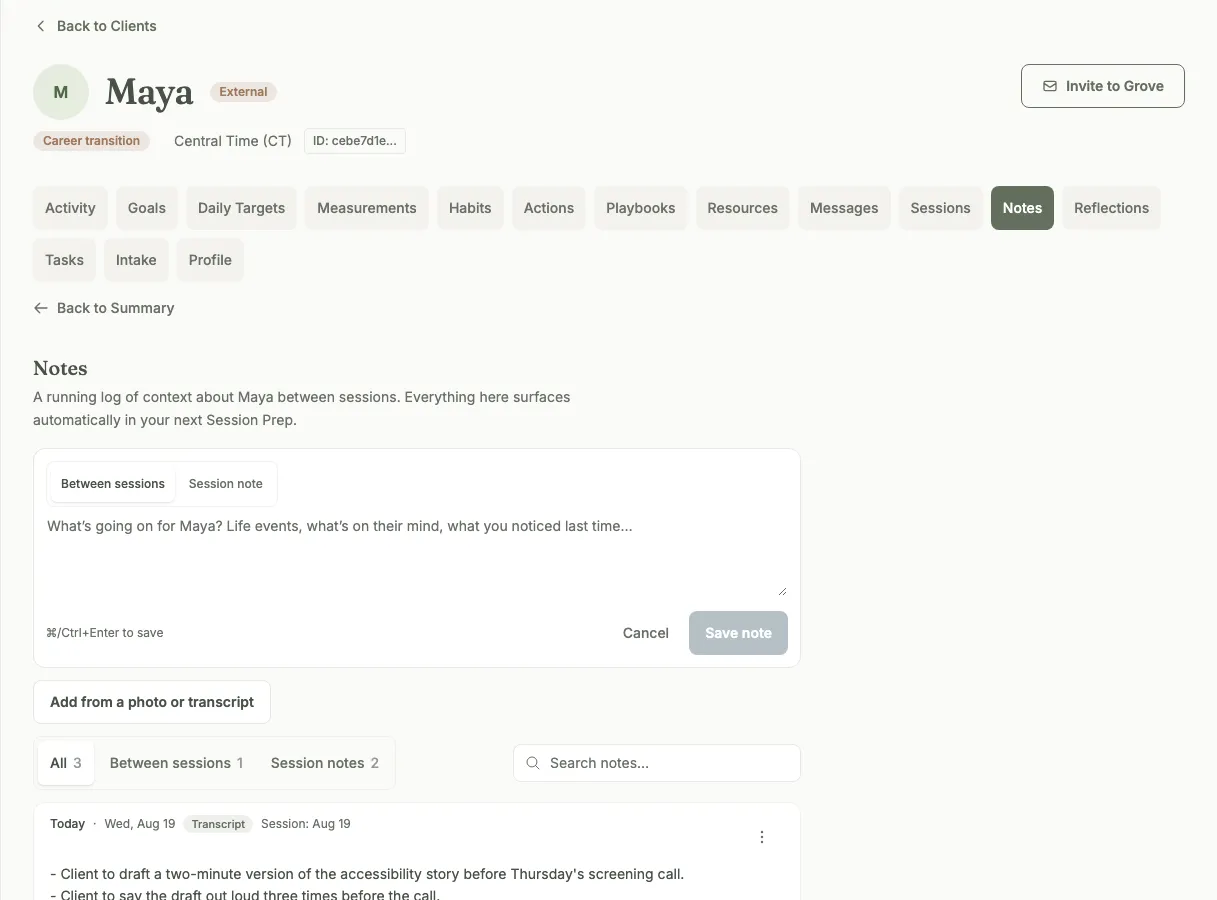
One running record per client, tagged by where each note came from.
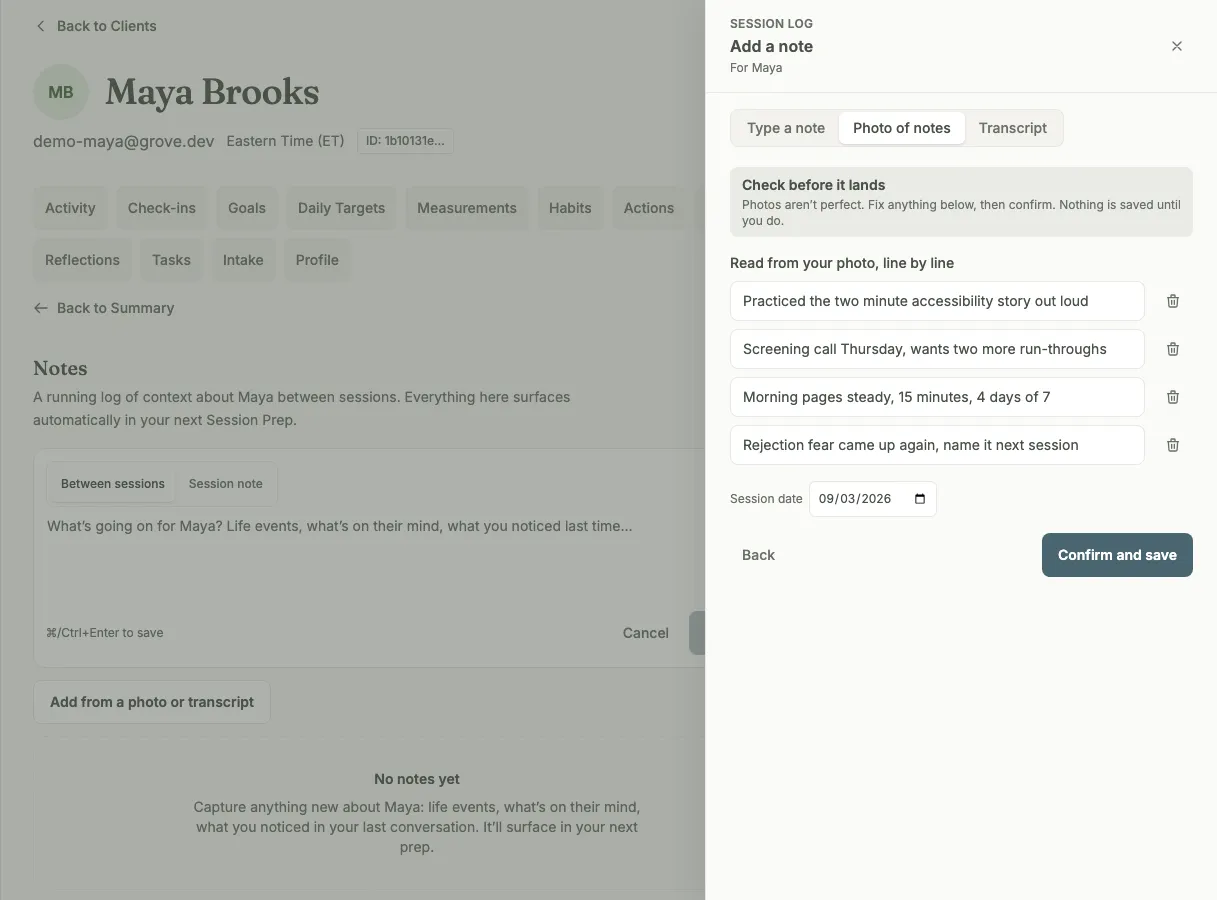
Photograph the handwritten page. Every line is reviewed before it saves.
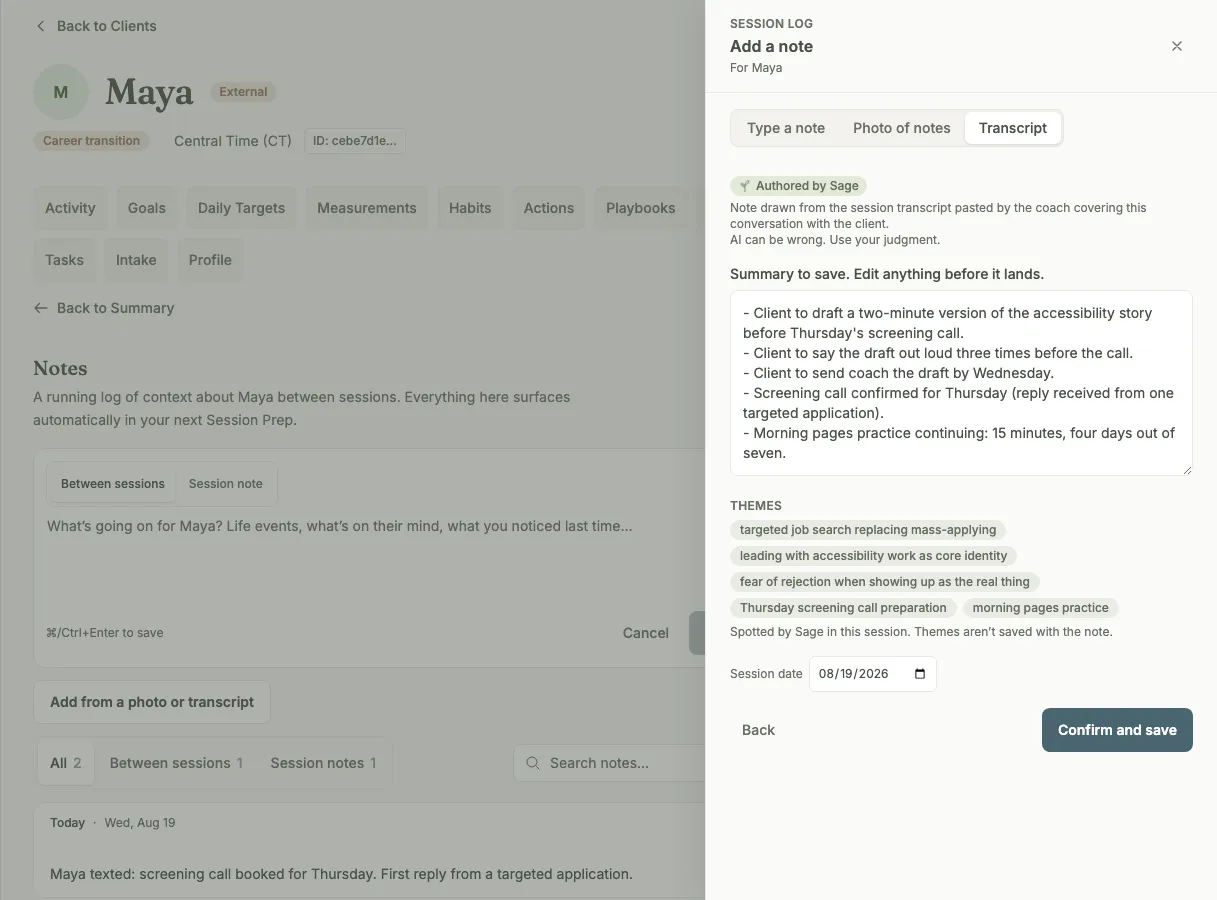
Sage drafts from a transcript, commitments first. You edit before it saves.
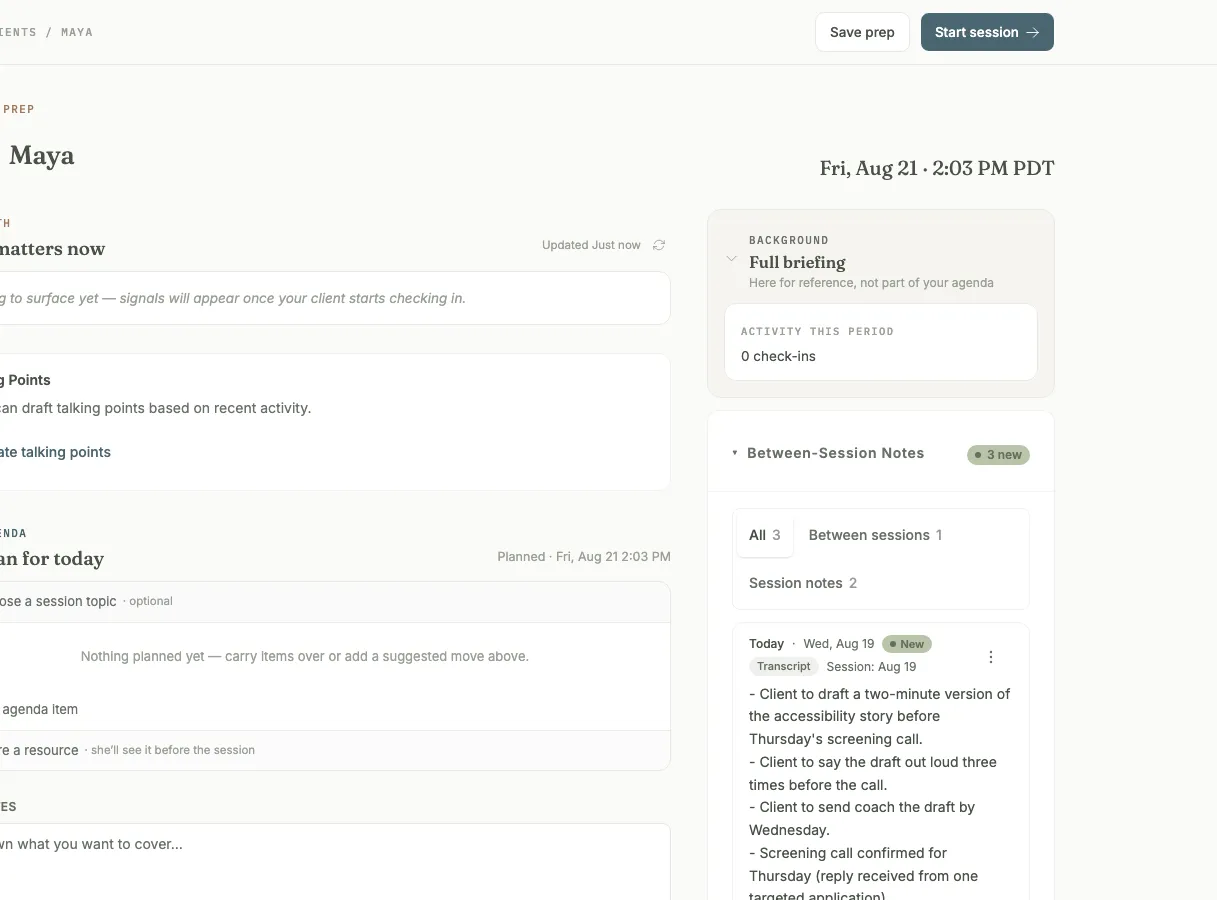
The record resurfaces itself in the next session prep.
Coaching runs on what you remember, and most of what you remember is in your notes. The problem was never writing them. It is that the note you wrote after Tuesday’s session sits in a notebook or a doc doing nothing until you go dig for it, usually ten minutes before the next session.
So notes got a real home. Every client now has a Notes tab: one running record, searchable, filterable, with each entry tagged by how it was captured. Two kinds of note keep the timeline honest: a between-sessions note for whatever you noticed, and a session note pinned to its session date, so writing it two days later does not scramble the record.
Capture matches how you already work. Type a note in the composer at the top of the tab. Photograph the handwritten page and review the transcription line by line before any of it is saved. Or drop in a session transcript and Sage drafts the note with your client’s commitments listed first, open in the editor for you to cut down or rewrite. Nothing writes itself.
Then the part that makes the writing worth it: with your consent flags on, the record feeds your next session prep automatically. Open the client before the session and your latest notes are already there beside the agenda. Sage does the reading; you do the coaching.
There is a live-session surface too. The Notes View is a full-screen, coach-private view for the session itself: your agenda with items checked off as you cover them, what to watch for, and a quick-notes field for the thought you would otherwise lose. It is marked “only you” because it is: on every surface, notes are private to you, and your client never sees them.