
Your clients get a real iPhone app
You do your work at a desk. Your client does theirs at a bus stop, in a parking lot, at ten at night before bed. Grove is now a native iPhone app they download from the App Store, so the check-in happens in the moment instead of the evening they finally sit down to it. Nothing changes on your side. You stay on the web, and their answers land in your dashboard the same way.
Try Grove →Between-session work is where coaching either holds or quietly stops. A client who has to remember a website, find the tab, and log in again will keep it up for about two weeks. The habit does not survive the friction, and by the time you notice, you are having the re-engagement conversation instead of the coaching one. A client with the app on their home screen taps a notification and is finished in thirty seconds. The Grove app exists for that gap. It is not a smaller copy of your coach tools. It is your client's surface, built for the days between your sessions.
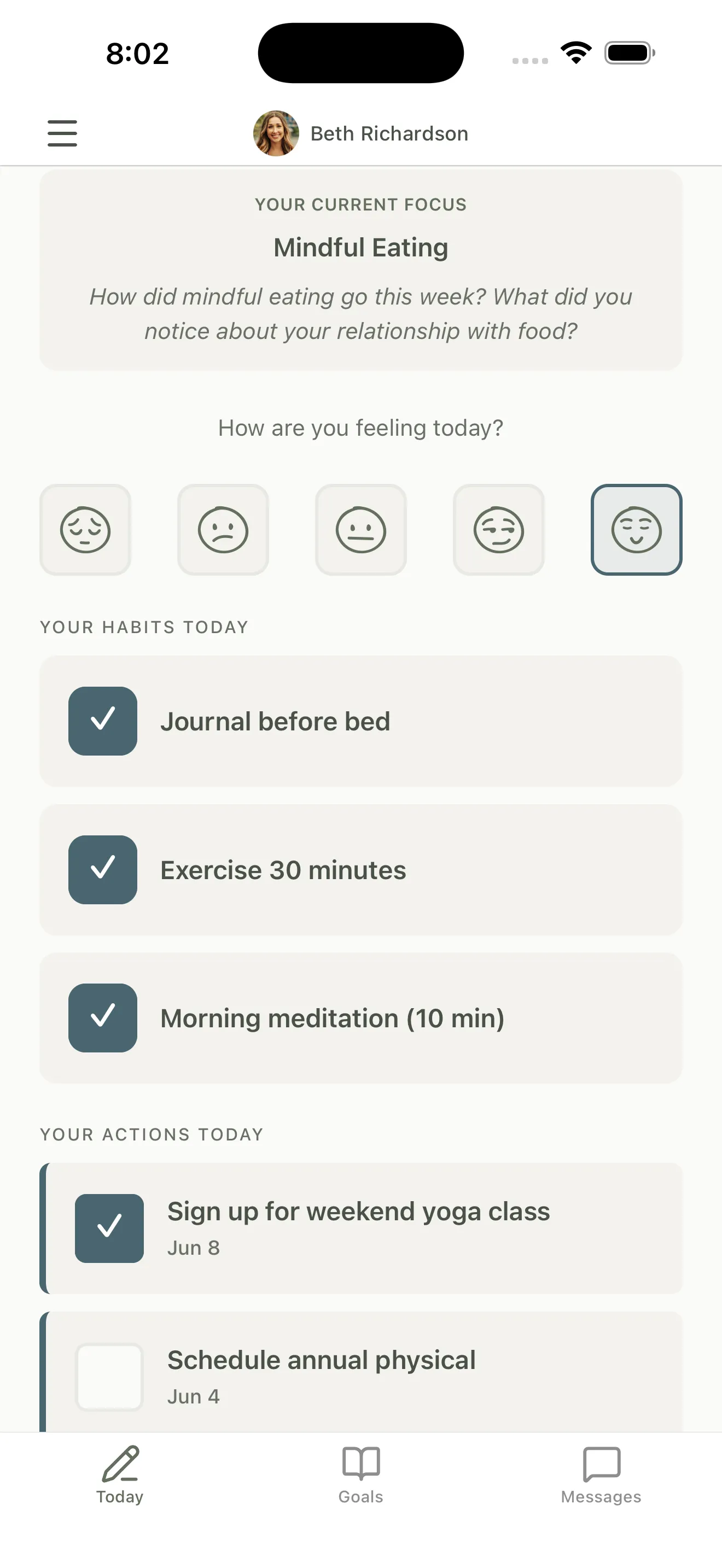
Today: their focus, their mood, their habits, in one scroll.
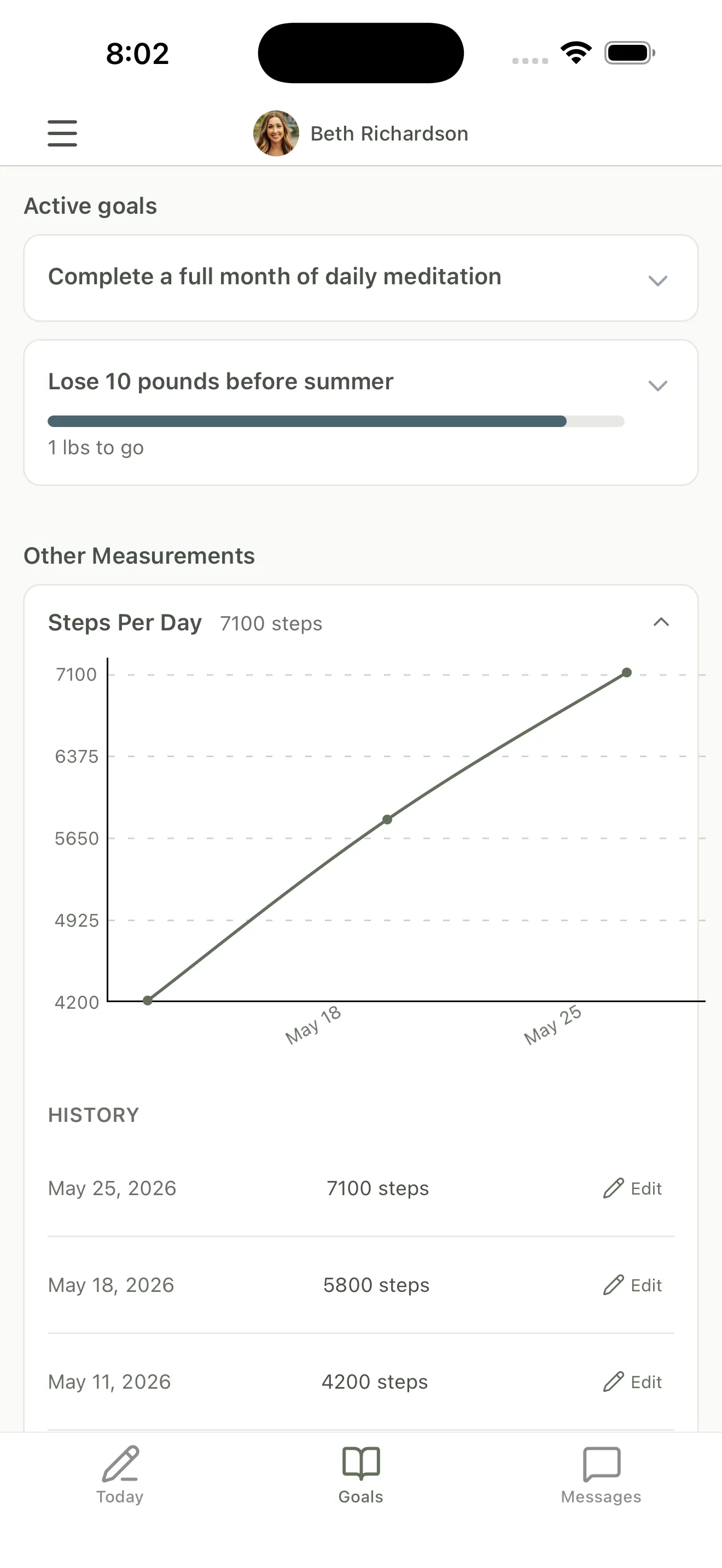
Goals and measurements, charted as they log them.
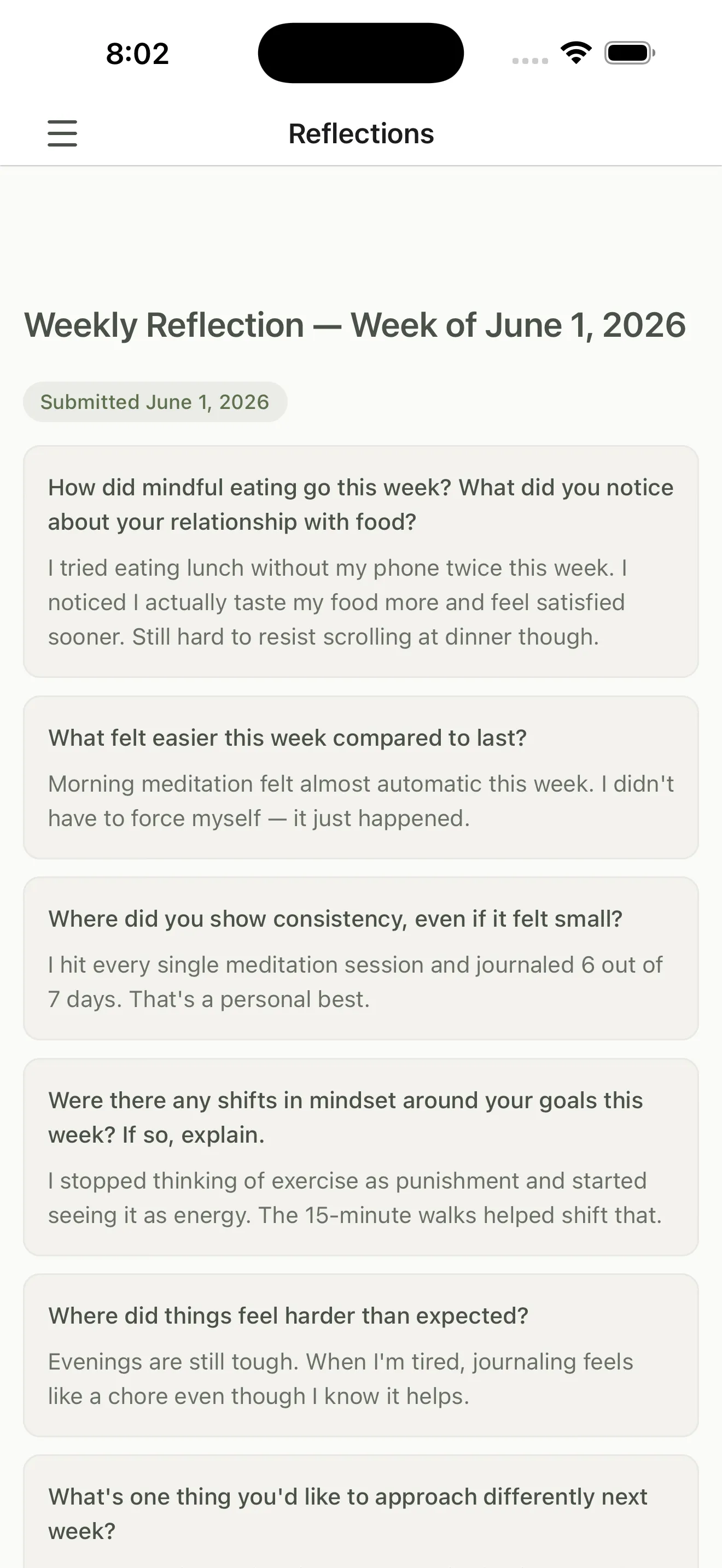
The weekly reflection, in their own words, waiting in your prep.

Free for your clients. iPhone today, Android on the roadmap.
What your client can do from their phone
- Daily check-in on the Today screen: this week’s focus, a mood rating, the habits they agreed to, and the actions still open.
- Habits and actions are a single tap. No typing, no logging in again, no finding the right tab.
- Goals and measurements with their own charts and history, so your client watches the line move instead of waiting for you to tell them it did.
- Weekly reflections written on the phone, in their own words, which arrive in your session prep before you open the client record.
- Messages with you between sessions, so the thought they have at 9pm does not have to wait for the next call.
- Push notifications your client controls per category, with Quiet Hours overnight and a global pause.
- Apple Health syncing for steps, sleep, resting heart rate, and HRV, with your client choosing what to share.
- Sign in with Apple, so getting in takes one tap and no new password.
- Free for your clients, and nothing changes on your side. You keep working on the web.

The app matters most for coaches whose clients are on their feet all day, where a check-in only happens if it fits in the two minutes they have.
Common questions
Do my clients have to use the app?
No. Everything the app does still works in a browser, and clients who prefer the web can stay there. The app is for the clients whose week does not include sitting down at a computer. Most coaches find that is most of them.
Is there an Android version?
Not yet. Grove ships an iPhone app today, and clients on Android use the web app, which works on a phone browser and covers the same features. Android is on the roadmap. If a good share of your clients are on Android, email hello@grove.coach and tell us, because that is how we weight the decision.
What does the app cost my clients?
Nothing. The app is free to download and free for your clients to use. It is included in your Grove plan, and the number of clients you coach is what your plan is based on, not how they choose to open Grove.
Do I have to set anything up?
No. There is no separate account, no invite to re-send, and no coach-side toggle. Your existing clients sign in to the app with the login they already have, and their history is there. If you are inviting someone new, the welcome email points them to the app.
How do my clients find it?
They search the App Store for Grove Coach, or open Grove on their iPhone browser and tap the banner Apple shows at the top of the page. The client getting-started guide walks through it.
Do I see anything different?
No. Check-ins, habits, reflections, and messages land in your dashboard exactly as they always have. Whether your client tapped it out on a phone or typed it at a desk is not something you have to think about.
Related features
Daily check-ins
The thirty seconds a day the app is built around. Their answers land in your morning dashboard.
Learn more →Habit tracking
Habits are a tap on the Today screen, so the streak survives a busy week.
Learn more →Apple Health syncing
Steps, sleep, and heart rate flow in from the phone your client is already carrying.
Learn more →Client messaging
Your client thinks of something at 9pm and can say it right then. You answer when you are back at the desk.
Learn more →Notification controls
Push reminders your client tunes per category, with Quiet Hours overnight.
Learn more →
Give your clients somewhere to do the work
Start free on yourself. No clients to set up and no credit card, so you experience what your clients will before you invite anyone in.
Try Grove →